Job tracking that doesn't fight the field.
Track devices, schedule the crew, mark up floor plans, and hand over a closeout your customer actually keeps.
No card required · Built with working low-voltage crews
See what running a job looks like.
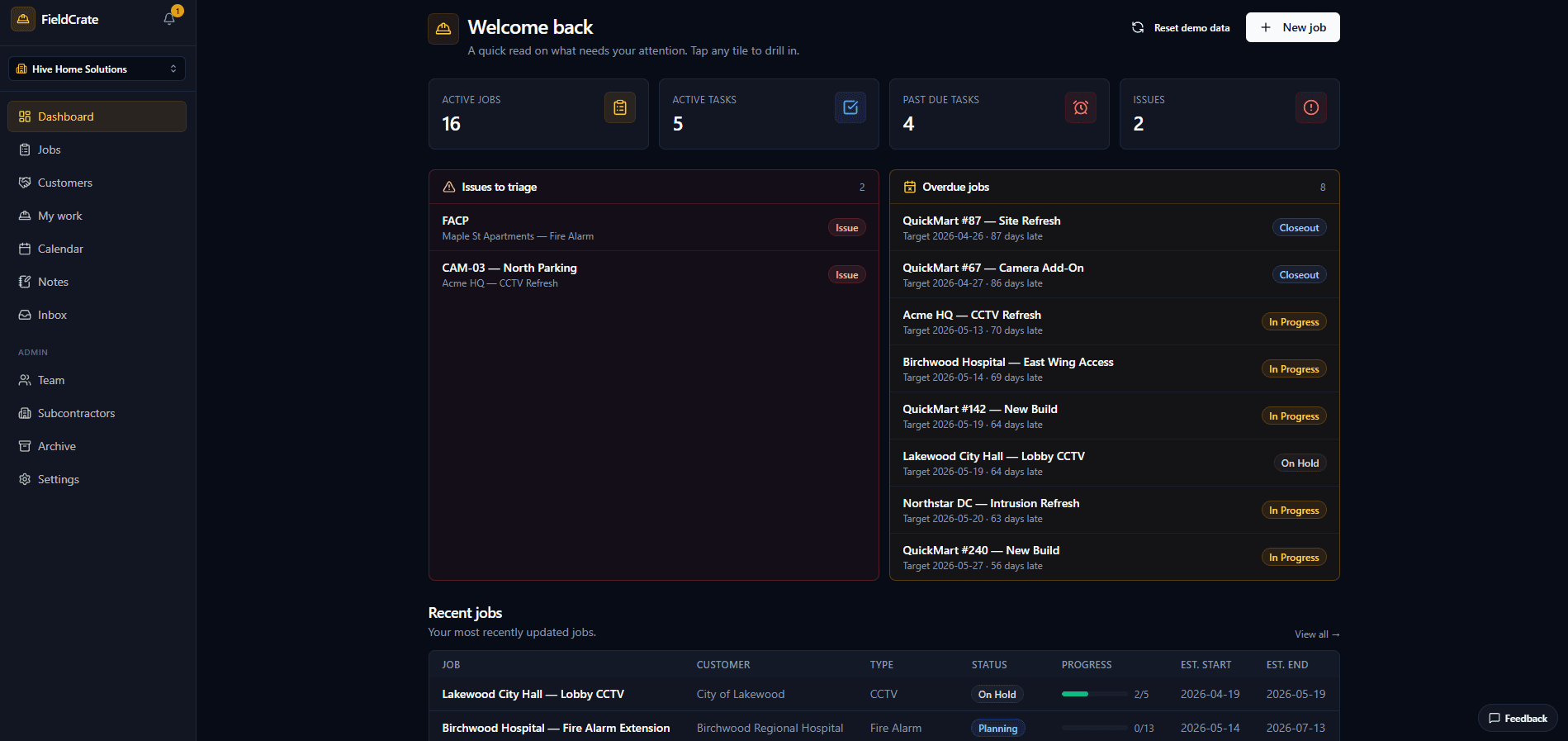
Dashboard
Active jobs, tasks, issues to triage, and what's overdue, all on one screen. Tap any tile to drill straight into the work behind it.
Every job in one list
Filter by status or system: CCTV, access control, fire, intercom, structured cabling. Live progress bars show how far along each install is.
Customers
Every customer you've worked with, their full job history, and their site contacts. Clone a past job as a template to spin up the next site in seconds.
Inside a job
Scope, site address, account and site contacts, and the device rollup in one header. Flip a job from Quote to Contracted and new devices get tagged as change orders.
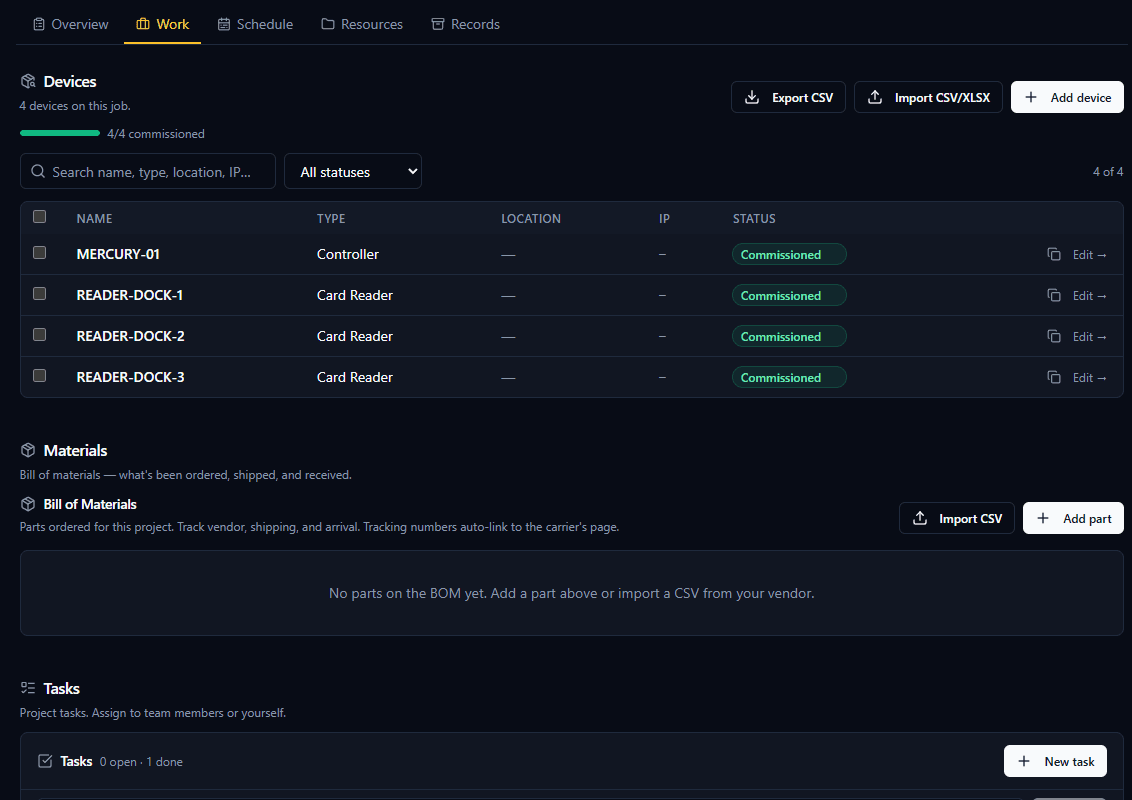
Devices and materials
Track every device from pending to commissioned, import or export by CSV. The bill of materials follows what's ordered, shipped, and received, and tracking numbers auto-link to the carrier.
Blueprints and as-builts
Mark up floor plans onsite with Apple Pencil, and your original PDF is never overwritten. Keep every project's files, photos, and install guides in one place.
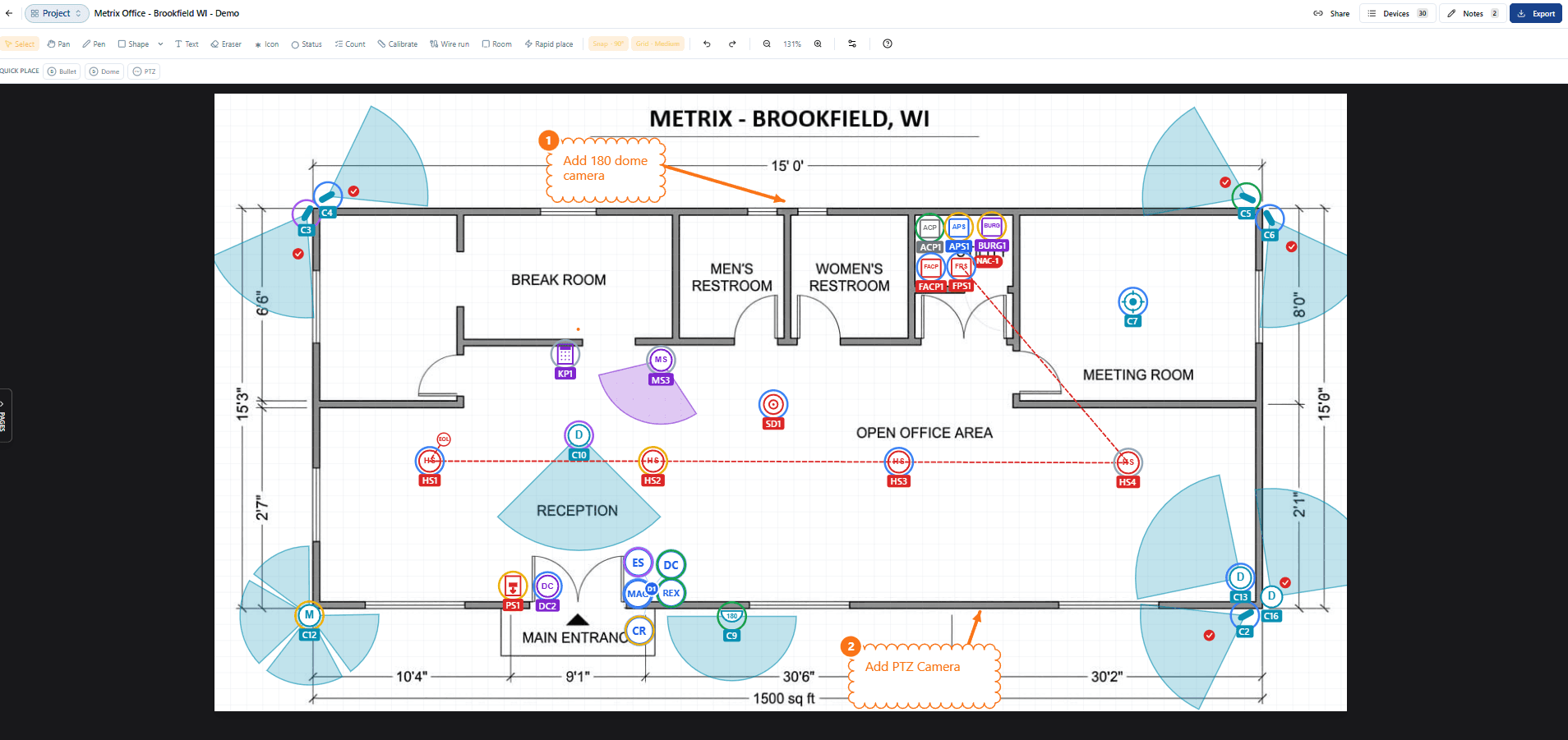
Floor-plan markup
Drop cameras with directional FOV cones, readers, sensors, and horn-strobes right on the plan, with wire runs, device counts, and calibrated dimensions. Mark up onsite and export a clean PDF.
My Work
Your personal triage: unassigned, past due, today, and delegated tasks across every job. Add a task with slash commands and @-mentions to assign and schedule it in one line.
Mobile My Work
What the field sees: today's devices, milestone progress, @-mentions, built for a phone in a tool pouch.
Dispatch board
Techs as rows, days as columns. Drag out onsite days and see the whole crew's week at a glance.
Field reports and closeout
Techs submit daily field reports from a single-use magic link, no login required. Every status change, note, and report lands on the job's record for a clean closeout.
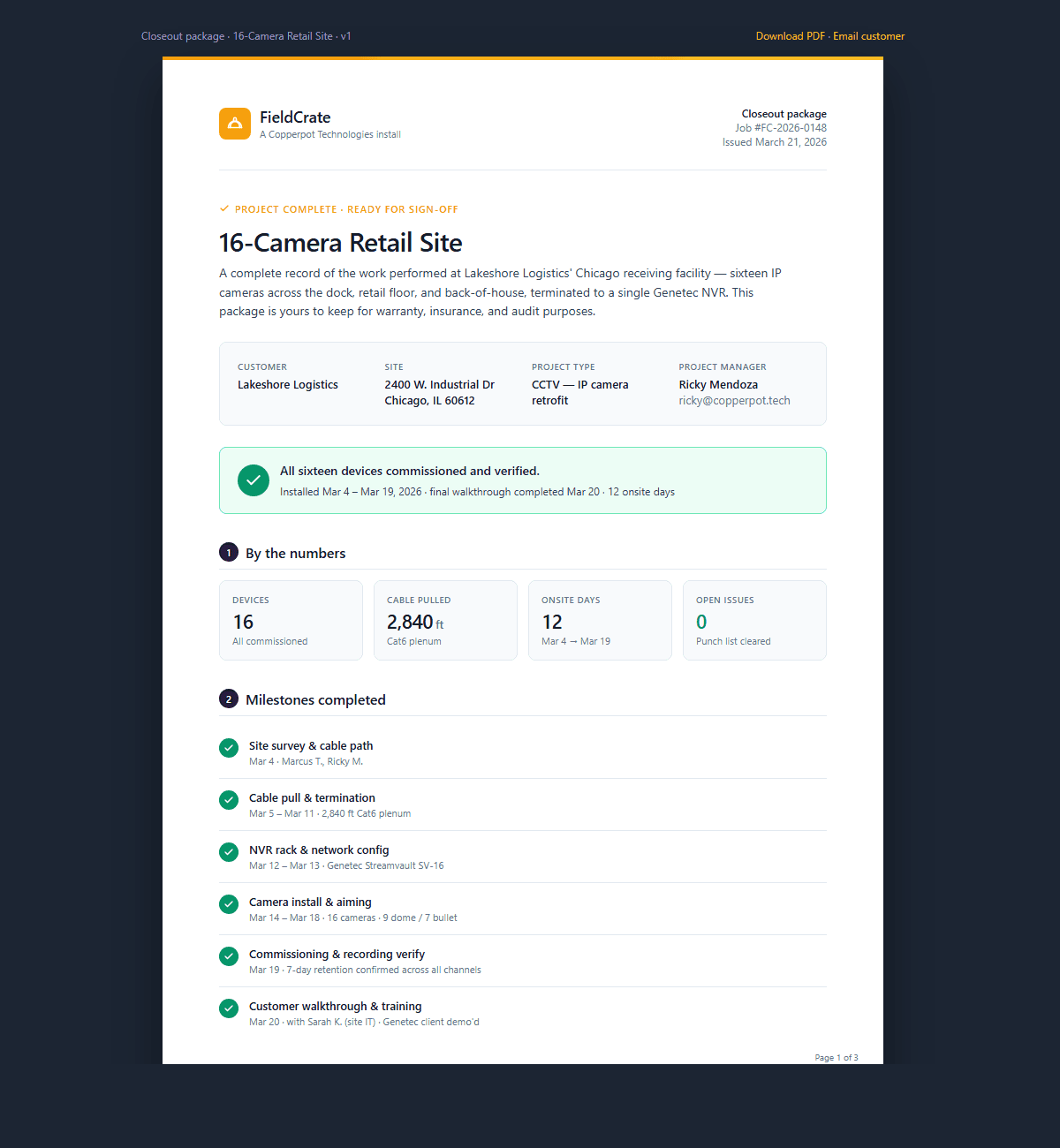
Closeout PDF
Branded deliverable generated from the work, not retyped. Devices, milestones, photos, all in one package.
Every device, pending to commissioned.
Import a device list by CSV, track each one from pending to commissioned, and let the bill of materials follow what's ordered, shipped, and received.
Drop cameras right on the plan.
Directional FOV cones, readers, sensors, and horn-strobes on the floor plan, with wire runs and calibrated dimensions. Mark up onsite, export a clean PDF.
A deliverable the customer keeps.
A branded closeout package generated from the work, not retyped in Word. Devices, milestones, and photos in one PDF that wins the next job.
Built for the whole crew.
One place for the install.
Install guides, tasks, scheduled days, and closeout photos in one place, not scattered across texts and Drive.
- +The right cut sheet on the right device
- +Closeout photos upload from your phone
- +Your scheduled days sit with your tasks
The 7am scramble, solved.
Chasing status, rebuilding closeout PDFs, remembering who's onsite where. All of it in one workspace.
- +Dispatch board, not a spreadsheet
- +Notes and @-mentions on the work
- +Tasks that ride along to My Work
The process the big shops paid six figures for.
Without an IT department, a six-month rollout, or a per-seat contract that punishes you for hiring.
- +Recurring revenue you can see
- +Visibility without micromanaging
- +Starts working on day one